WPS loads add-ins from a folder in your user profile. Sumlion's part is one small folder (40 KB) that you drag in. No administrator rights, no registry, nothing to run.
No need to extract it — it holds a single folder, jsaddons, which you drag out in step 3.
Close every WPS window first. Then press Win + R, paste the path below and press Enter — a folder named wps opens.
%APPDATA%\kingsoft\wps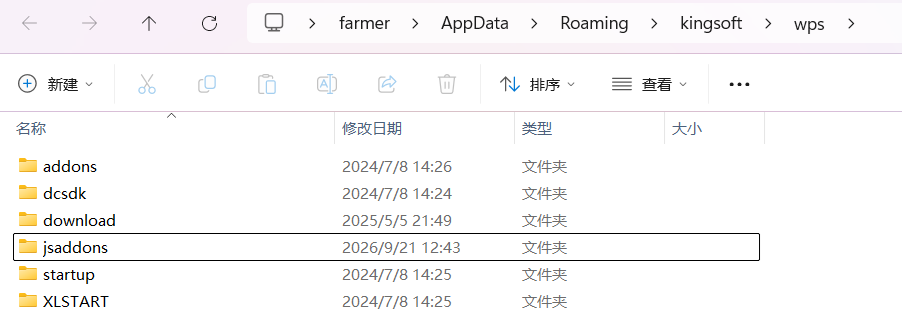
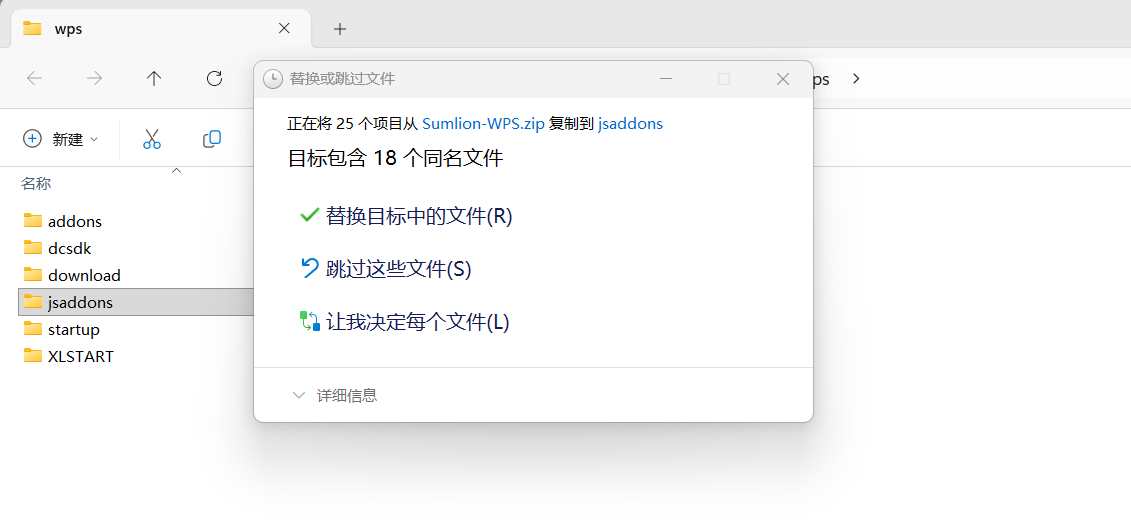
Double-click the downloaded zip to open it, and drag the jsaddons folder inside it into the wps window from step 2. Normally it just copies. If a “Replace or Skip Files” box appears: many files with the same name means Sumlion was installed here before — choose Replace the files; exactly one (publish.xml) means you have other WPS add-ins — choose Skip these files, then see “Already have other add-ins?” below.
Start WPS and open a spreadsheet or document. The Sumlion tab does not show on the start page — only once a file is open.
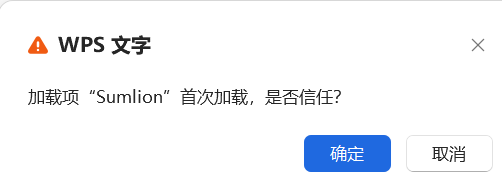
WPS asks “加载项 Sumlion 首次加载,是否信任?” (first load of the Sumlion add-in — trust it?). Click OK. It asks once for 表格 and once for 文字; that is WPS's standard question for any third-party add-in.
Click the Sumlion tab — the last one on the ribbon — then the Sumlion button. Sign in with your email.


publish.xml is shared by every WPS add-in, so it must not be overwritten. Either double-click install.bat inside jsaddons (where .bat files are allowed — it adds Sumlion's two lines and leaves the rest untouched), or open jsaddons\publish.xml in Notepad and paste these two lines just before </jsplugins>:
<jsplugin name="Sumlion" type="et" url="Sumlion_1.0.0" version="1.0.0" enable="enable_dev" install="null" customDomain=""/>
<jsplugin name="Sumlion" type="wps" url="SumlionDOCS_1.0.0" version="1.0.0" enable="enable_dev" install="null" customDomain=""/>The pane updates itself from wps.sumlion.cn; a reinstall is only needed if the ribbon itself changes. To remove: run uninstall.bat inside jsaddons, or delete the two Sumlion folders and the two lines, then restart WPS.
← All downloads